SEVAL
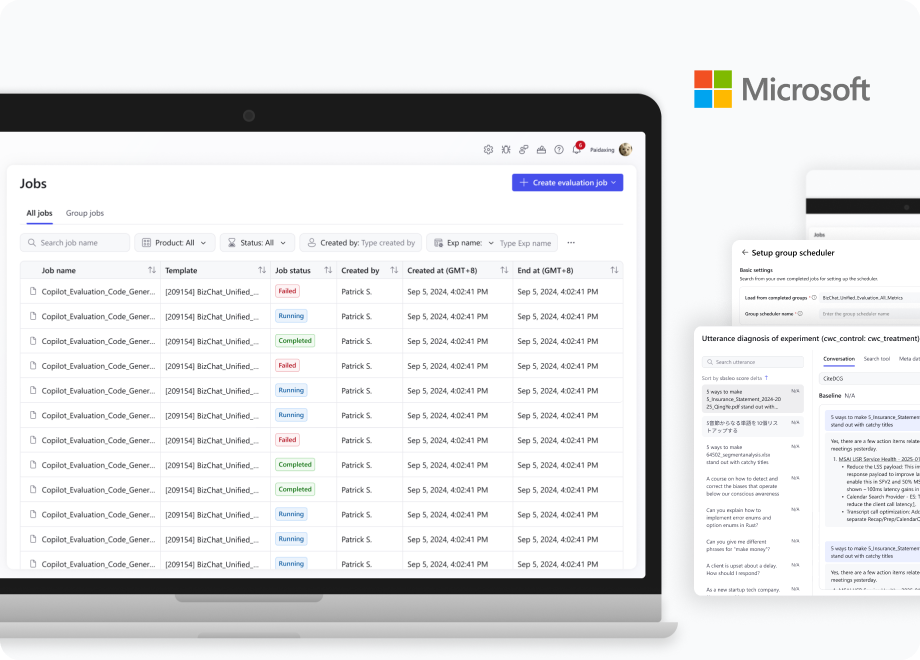
SEVAL is Microsoft's unified AI evaluation platform for testing multimodal capabilities across Copilot and BizChat. It provides scalable, repeatable evaluation through scrapers, datasets, and metrics, enabling teams to quickly review results and improve product quality.
Notification Center | Metric Diagnosis | Design Revamp | ...
Notification Center
System Design
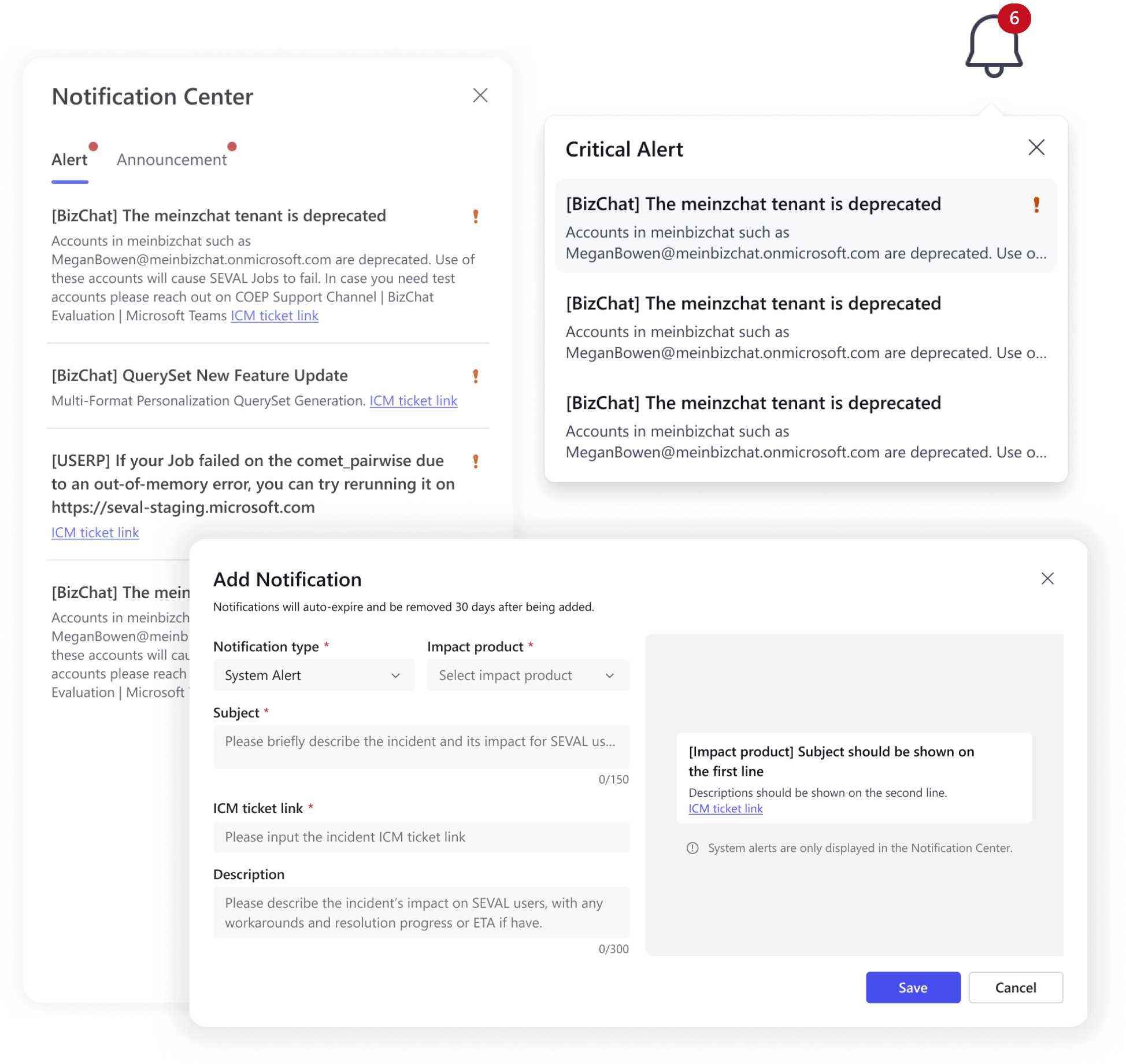
The Notification Center is a critical hub for SEVAL admins to communicate product health, feature lifecycles, and promotions. It is evolving to support advanced scenarios like customer surveys, metric alerts, and collaborative job tracking.
Nov 2025
Problem Statement — Display
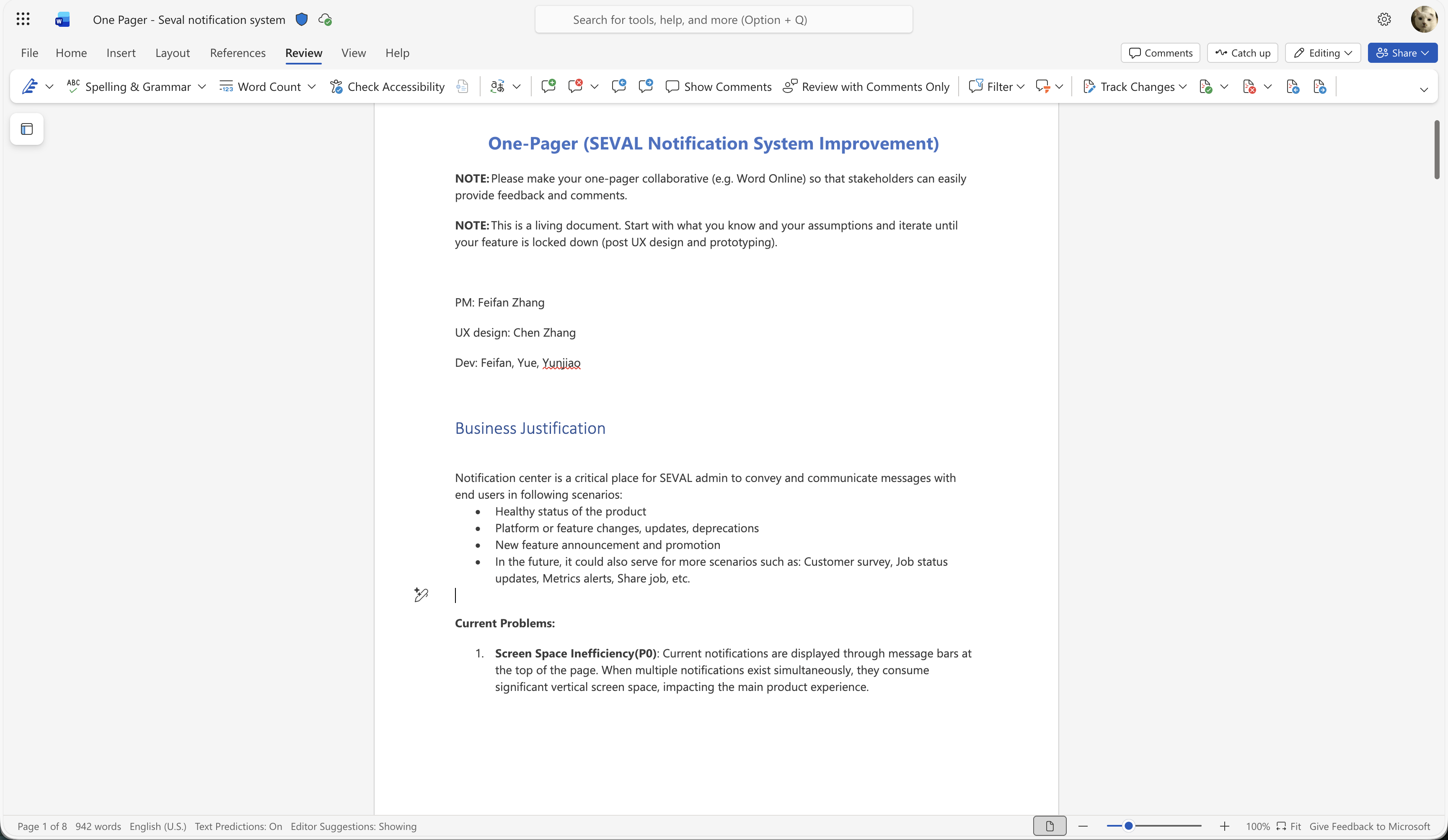
Screen Space Inefficiency
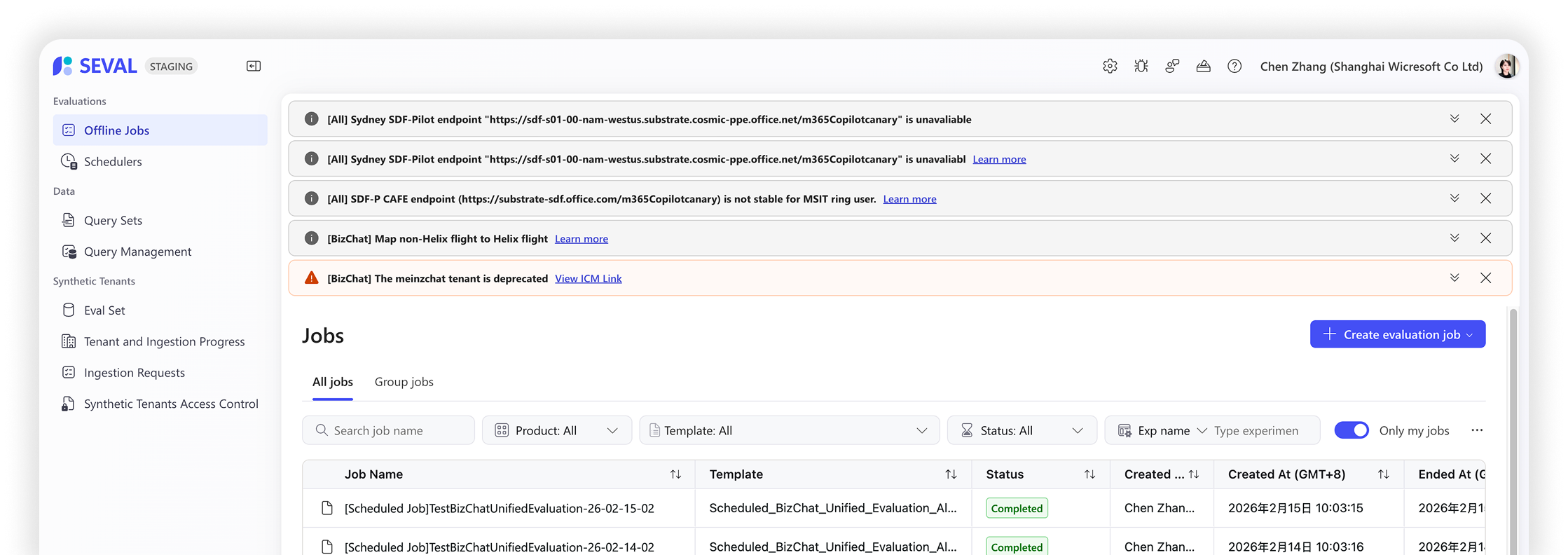
Existing banner-based notification system occupies significant vertical real-screen estate, cluttering the interface and interrupting the main workflow.
Easy to miss important information
Current notifications distinguish types only by color, failing to reflect urgency. While 10% of alerts require immediate action, they share the same pattern, styling and experience as standard announcements.
Scalability Issues
The current pattern is not scalable for future notification types that may be added to the system.
Problem Statement — Management
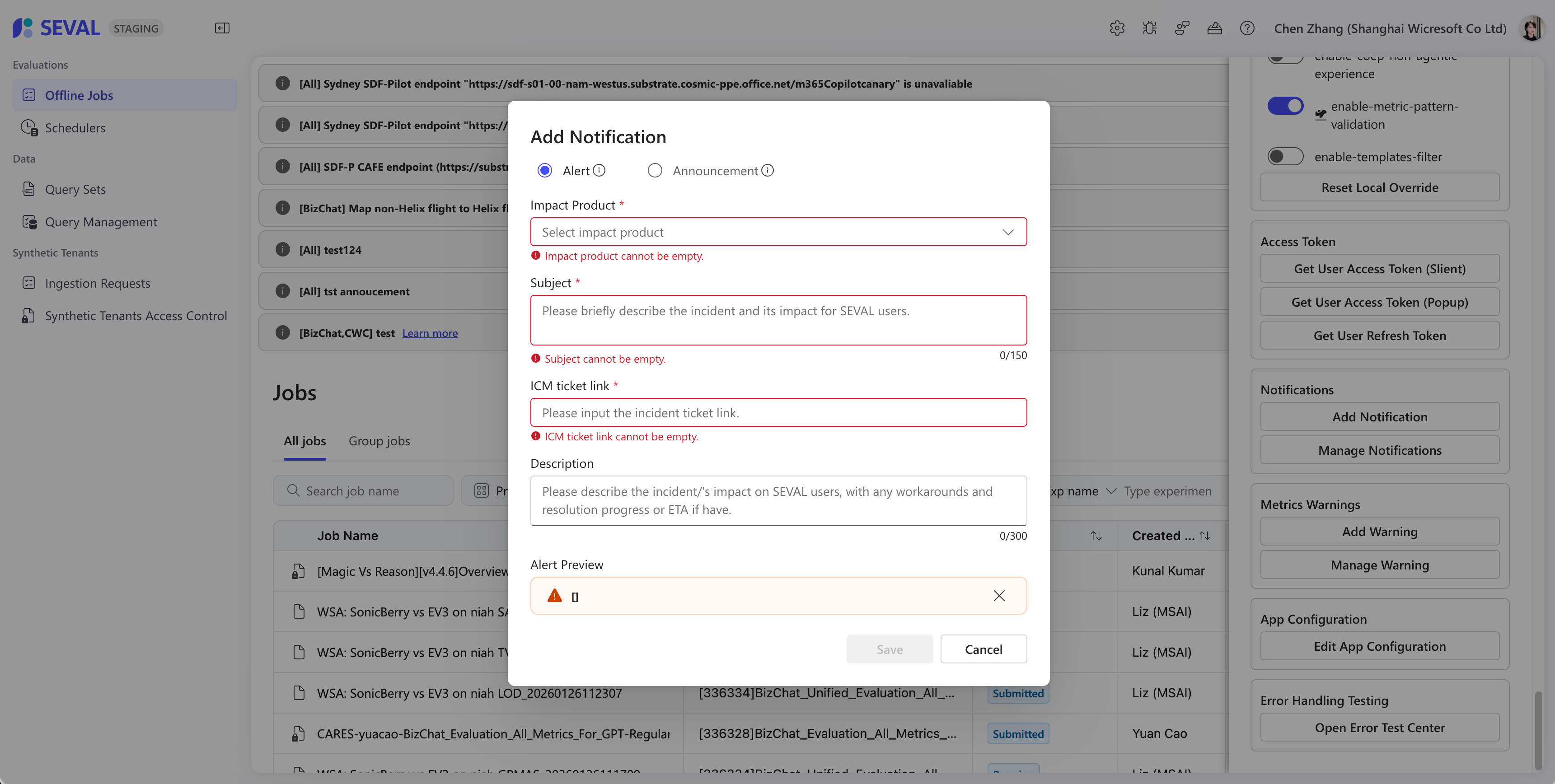
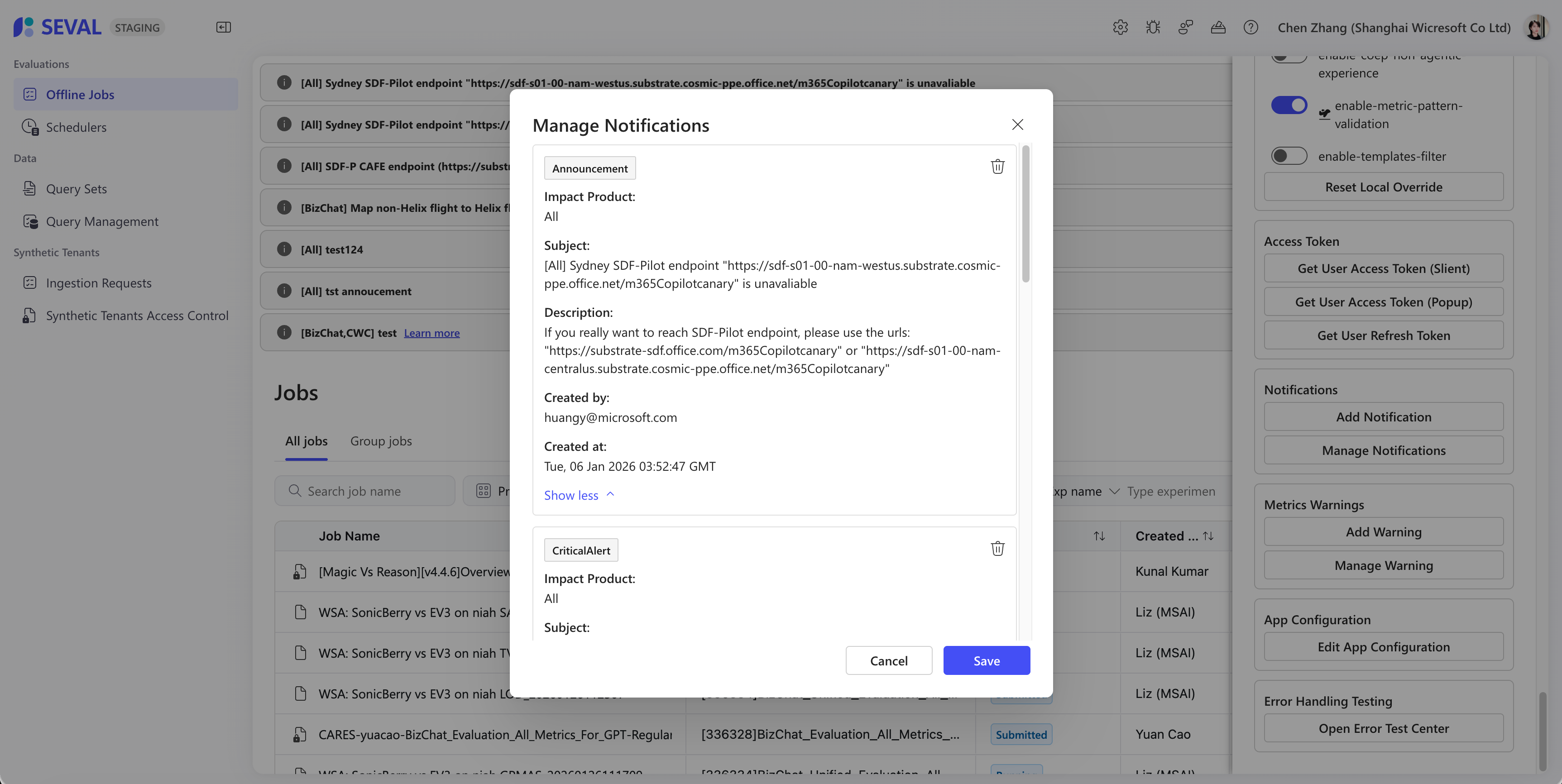
[Bug] Eager validation
Initial empty forms trigger immediate error alerts, creating a hostile entry point. This rigid validation frustrates users and lacks the contextual intelligence expected in a modern interface.
Functional limitation
Current notifications are read-only once published. Without an edit function, the only workaround is deletion and recreation, resulting in an inefficient management workflow.
Target Customer and Scenarios
Who are the target customers?
End Users
Role: Daily product users who need to stay informed about system updates, alerts and announcements.
Responsibility: Respond to critical alerts in a timely manner and stay updated on system changes.
Admin Users
Role: System administrators, product managers, or operations team members.
Responsibility: Create and distribute timely, relevant notifications to appropriate user groups.
What is the value we can provide for customers?
End Users
- •Pain relief: Eliminate screen space waste and information overload from poorly organized notifications.
- •Improve efficiency: Clear priority indication enables faster response to critical alerts.
- •Better context: Timestamp and scope information reduces confusion about notification relevance.
Admin Users
- •Enhanced communication and reach: Better tools to convey message urgency and importance, ensuring critical messages get appropriate attention and effective delivery.
Solution — For End User
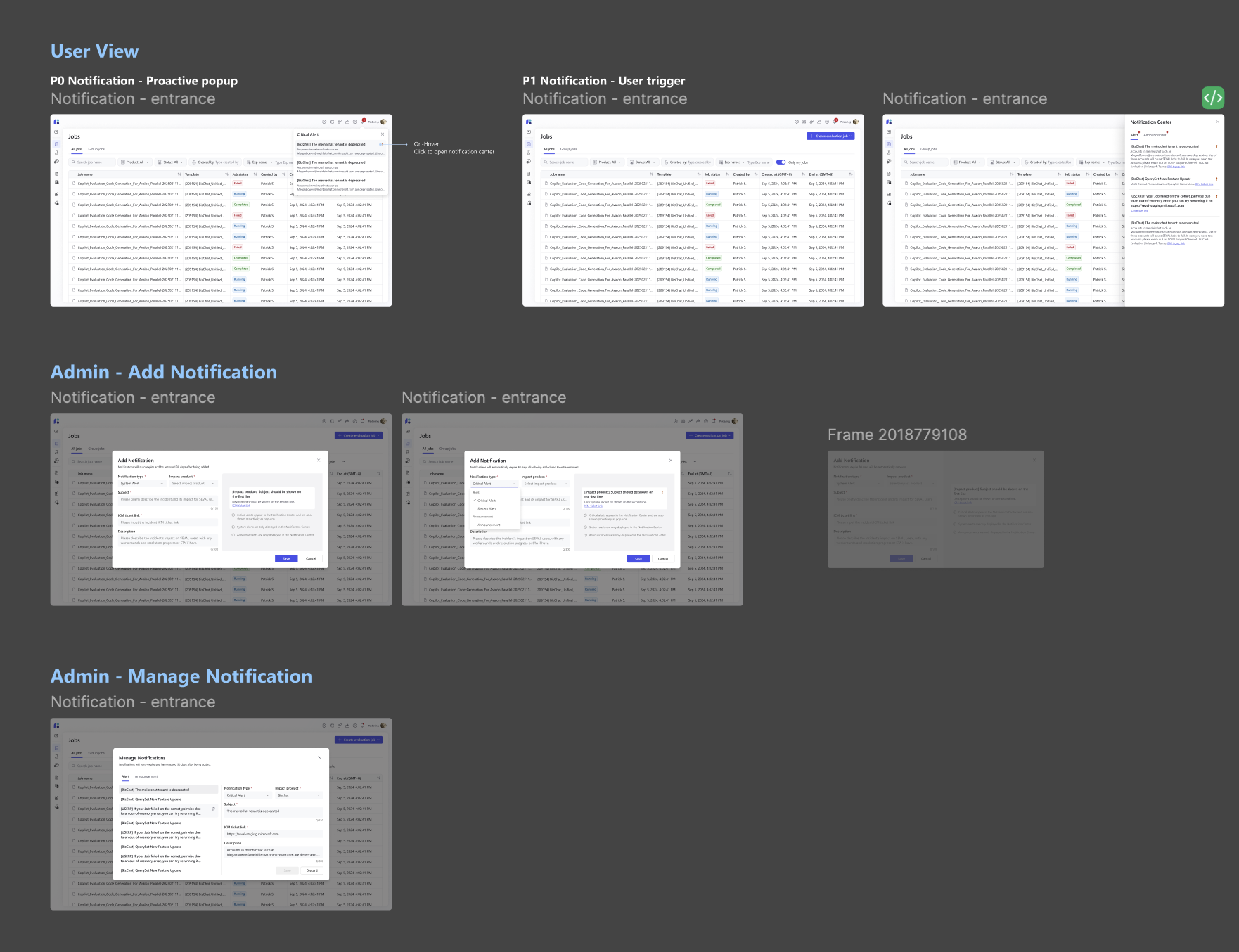
Notification Side Panel → Space-Efficient Design
Moving from full-width message bars to a more compact notification system will improve overall user experience without reducing notification visibility.
Tabs → Scalable Architecture
Designing a flexible notification framework will accommodate future notification types without requiring major system redesign.
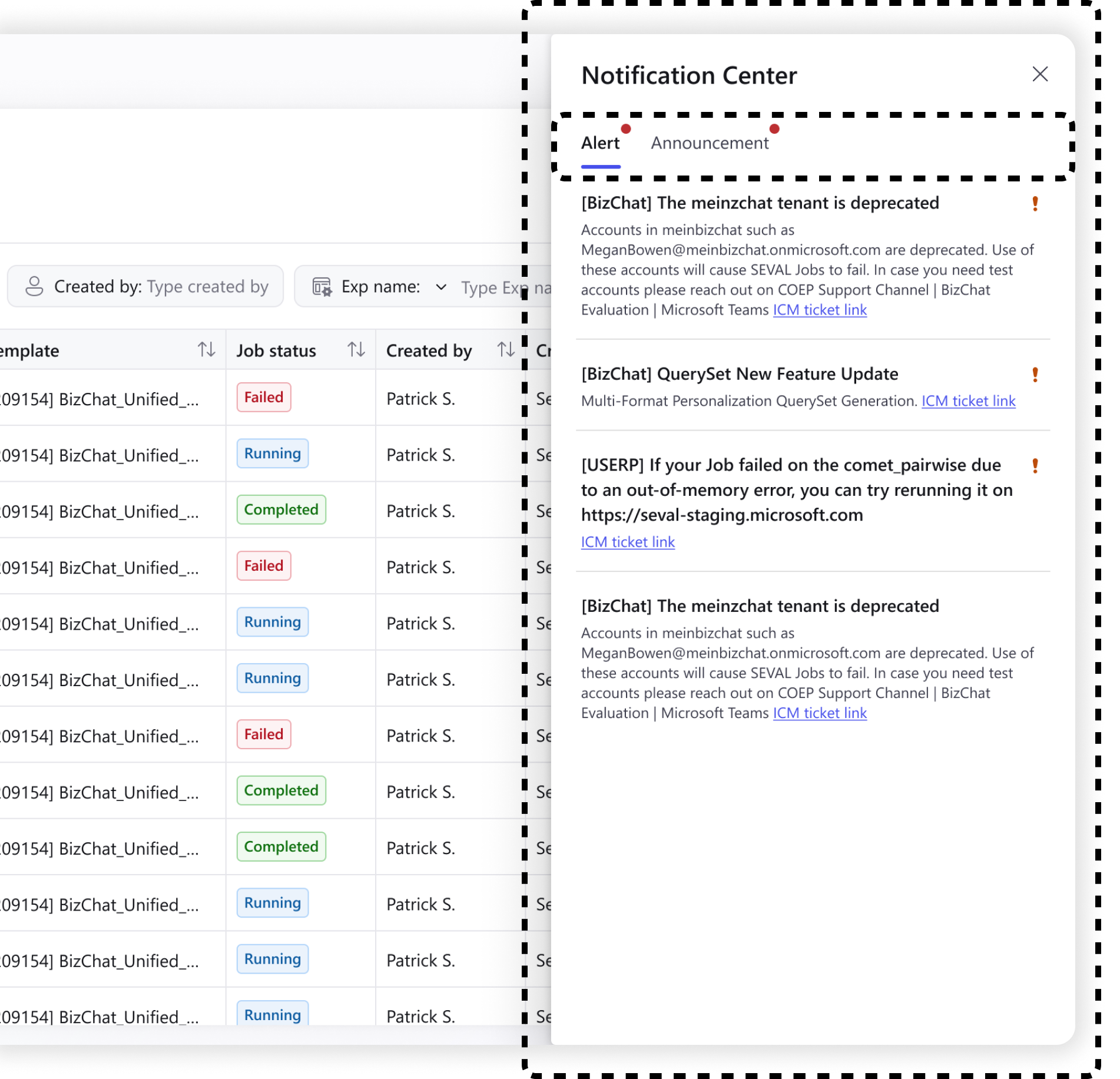
High Priority Identifier → Clear Visual Hierarchy
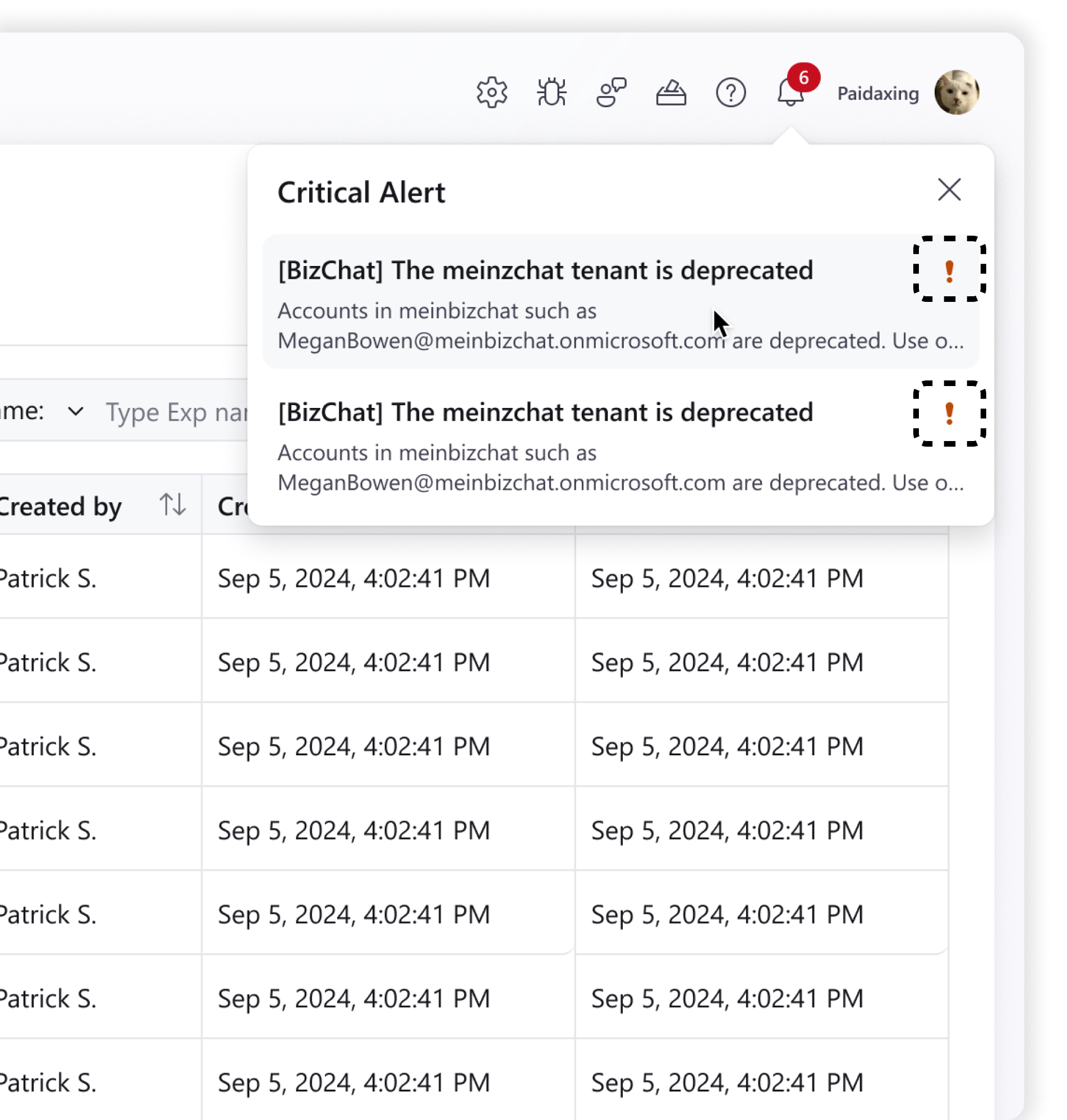
Implementing distinct visual patterns for different notification types (critical alerts vs. standard alert vs. announcements) will significantly improve user ability to prioritize their responses.
Proactive Pop-up Reminder → Response Time Improvement
The instant and proactive pop-up of emergency notifications effectively improves the read rate and response speed of users to critical alerts.
Solution — For Admin User
Admin add notification
Prioritized Hierarchy
The redesigned system features a prioritized notification framework with distinct interaction patterns for each message type.
Contextual Guidance
As admins configure alerts, contextual tips clarify the corresponding delivery mechanisms.
Live Preview
A real-time preview ensures a WYSIWYG (What You See Is What You Get) experience for precise content editing which eliminates guesswork and streamlines the creation-to-publish workflow.
Admin manage notifications
Rapid Discovery
A navigation list to instantly locate specific notifications.
Design Consistency
By maintaining pattern consistency between creation and editing, the system builds strong user recognition and reduces the learning curve.
Full Lifecycle Management
Integrated an intuitive CRUD (Create, Read, Update, Delete) workflow and enabling seamless in-place editing ensuring a more efficient and predictable management experience.
E2E Development
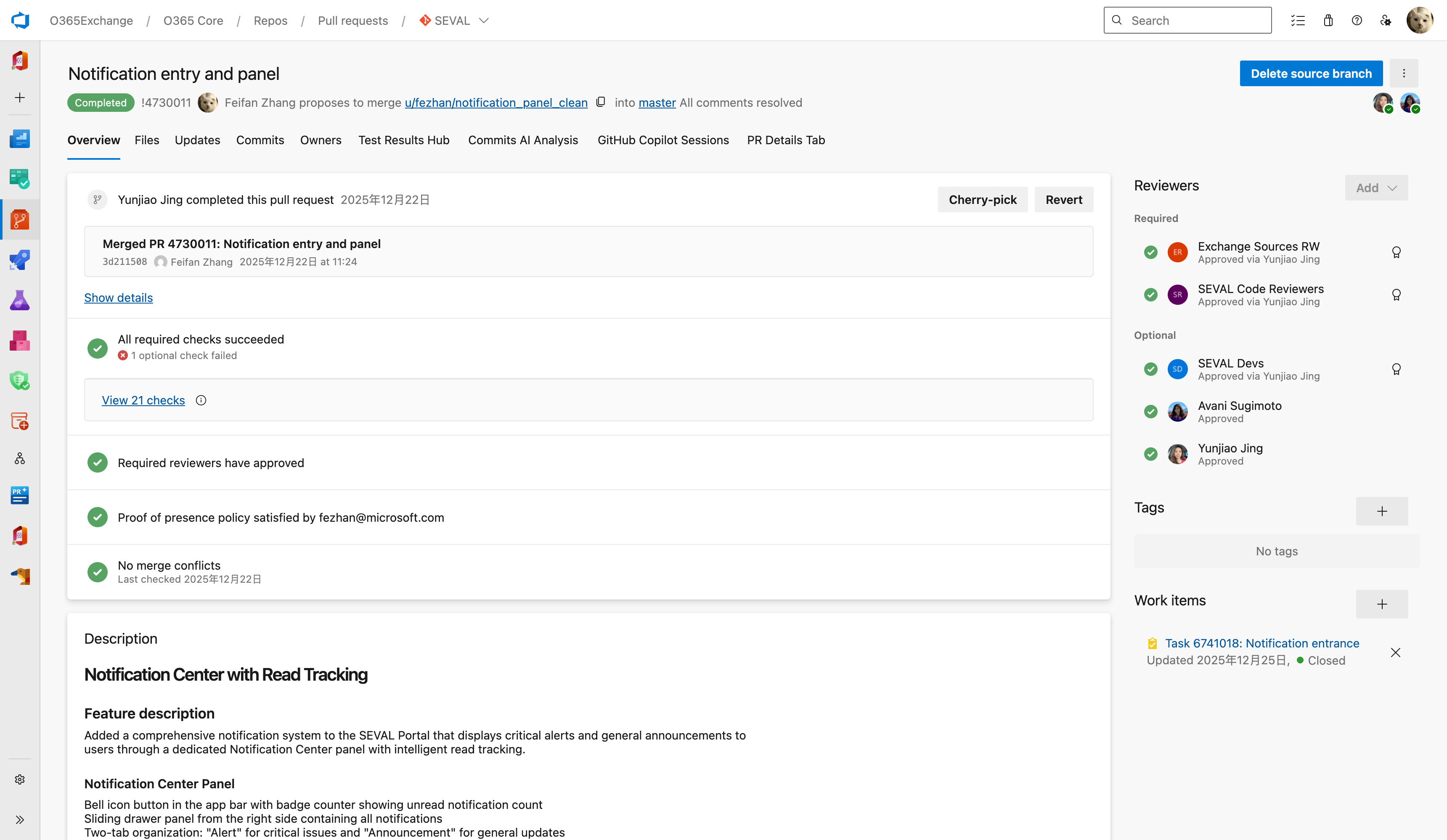
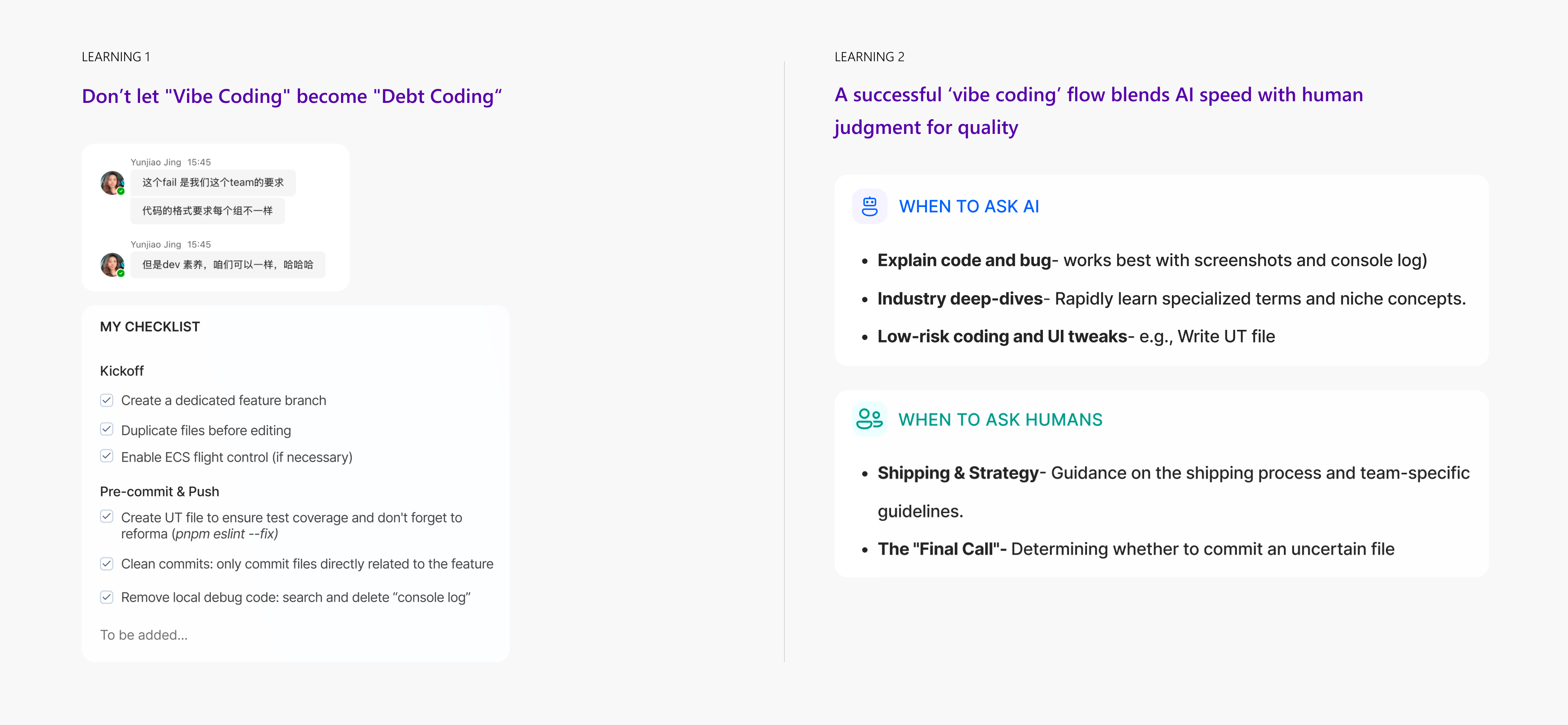
Vibe Coding
End user experience part
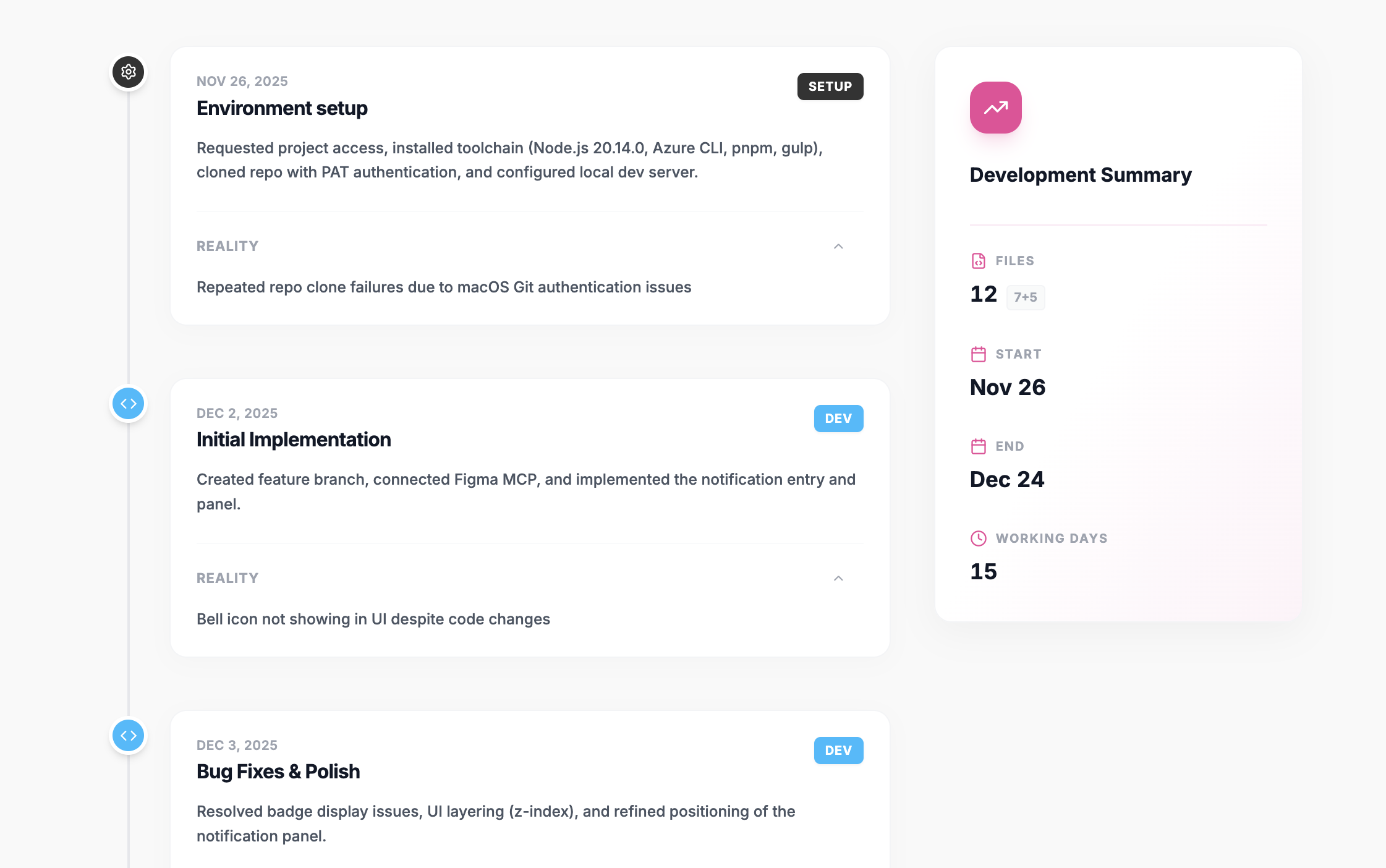
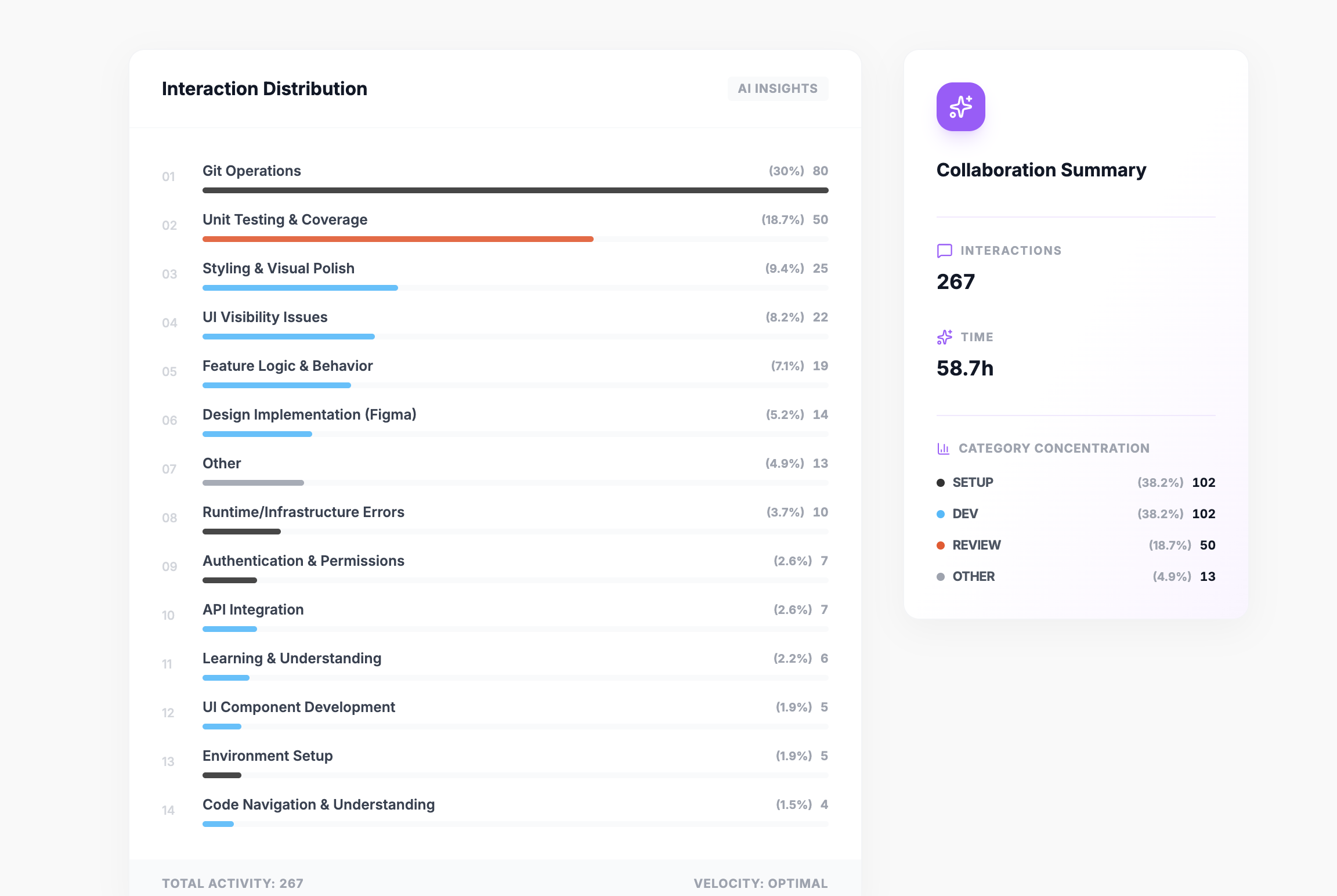
Key Takeaways
“Growth is finding a path that leads you to your goals.”